





Apple TV IPTV Player Comparison · 2026

Best IPTV Apps for Apple TV in 2026

Compare the best IPTV apps for Apple TV, including IPTVX, UHF, Tivimax, IBO Pro Player and Smarters alternatives. See which player fits your setup, preferred interface, IPTV login method, and budget.

Apple TV / tvOS Xtream Codes M3U Playlists Free & Paid Options
Multiplex Selection 7 Apple TV IPTV Players
2026
IPTVX Apple TV IPTV app
IPTVX Premium streaming-style experience
UHF IPTV player for Apple TV
UHF Feature-rich with a free tier
Tivimax Premium IPTV player for Apple TV
Tivimax Premium Live TV and EPG focused
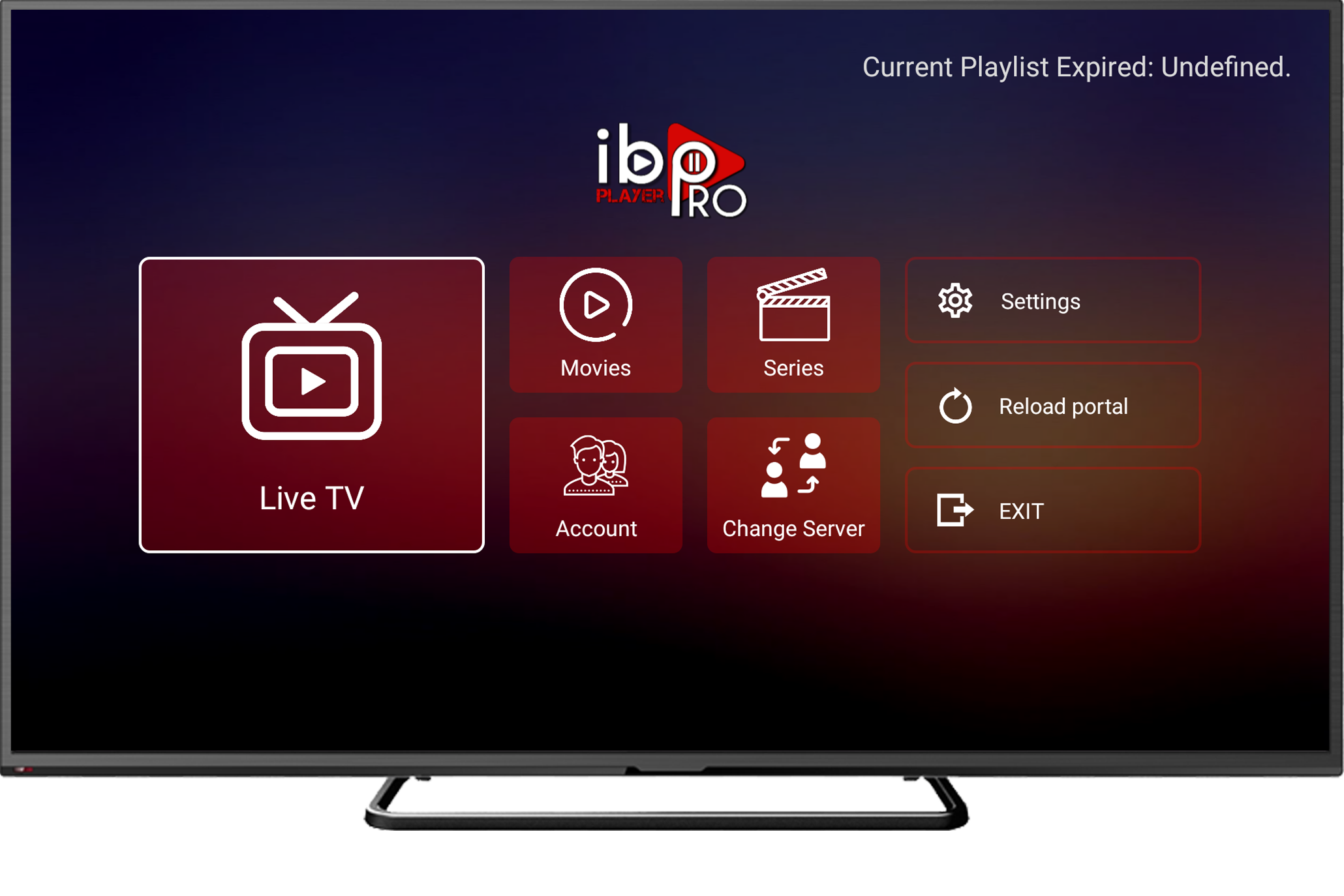
IBO Pro Player for Apple TV
IBO Pro Player Simple playlist-based setup
Tivimax Lite IPTV player for Apple TV
Tivimax Lite Lightweight Tivimax alternative
Smarters Player Lite IPTV app for Apple TV
Smarters Player Lite Familiar and simple alternative
Smarters Pro IPTV player for Apple TV
Smarters Pro More complete Smarters option for Apple TV users
Independent IPTV players. App features, pricing and availability may vary.
Apple TV IPTV App Comparison

Which IPTV App for Apple TV Should You Choose?

Compare popular IPTV players for Apple TV by supported playlist method, interface, features, free or premium access, and the type of user each app suits best.

Best Overall IPTVX Premium streaming-style experience across the Apple ecosystem.
Best Free Tier UHF Strong feature set with a generous free entry option.
Best for Live TV Tivimax Premium TV-focused experience with EPG, Catch-Up and playlist controls.
Best for Simplicity IBO Pro Player Straightforward playlist loading and simple TV navigation.
IPTV App Best For Xtream M3U Key Strength Entry Option App Store
IPTVX Apple TV IPTV player
IPTVX Apple-focused
Best Overall Cinematic UI, Apple ecosystem sync and rich library presentation. Free / Premium View App
UHF IPTV player for Apple TV
UHF Apple ecosystem
Best Free Tier EPG, global search, multi-PiP and broad media features. Free Tier View App
Tivimax Premium IPTV player for Apple TV
Tivimax Premium TV-focused
Best Live TV Live TV, EPG, Catch-Up, Stalker support and customization. Premium View App
IBO Pro Player for Apple TV
IBO Pro Player Simple player
Best Simplicity App-dependent Quick playlist loading, favorites and simple navigation. Trial Available View App
Smarters Pro IPTV player for Apple TV
Smarters Pro Advanced Smarters option Multiple Playlists
Advanced playlist users Xtream Codes API, M3U playlists, multiple playlists, Picture in Picture, parental control and local media support. Premium / In-App View App
Tivimax Lite IPTV app for Apple TV
Tivimax Lite Tivimax alternative
Try Tivimax first Useful way to test the Tivimax experience before moving to Premium. Lite Version View App
Smarters Player Lite IPTV app for Apple TV
Smarters Player Lite Lite alternative
Simple Smarters option Verify current version Verify current version Lightweight option for users who prefer the familiar Smarters-style interface. Lite App View App
i
Already picked an Apple TV IPTV player? Our Apple TV installation guide explains how to add Xtream Codes or an M3U playlist and troubleshoot common IPTV setup problems.
Open Setup Guide →

IPTV apps are independent players and do not provide IPTV content themselves. Features, pricing, free versions and App Store availability can change over time.

IPTV App #1 IPTVX Best Overall

IPTVX — Best Overall IPTV App for Apple TV

IPTVX is our best overall pick for Apple TV users who care about interface quality, content discovery, Apple-device continuity, and a polished experience that feels closer to a modern streaming platform than a basic playlist player.

View IPTVX on App Store →
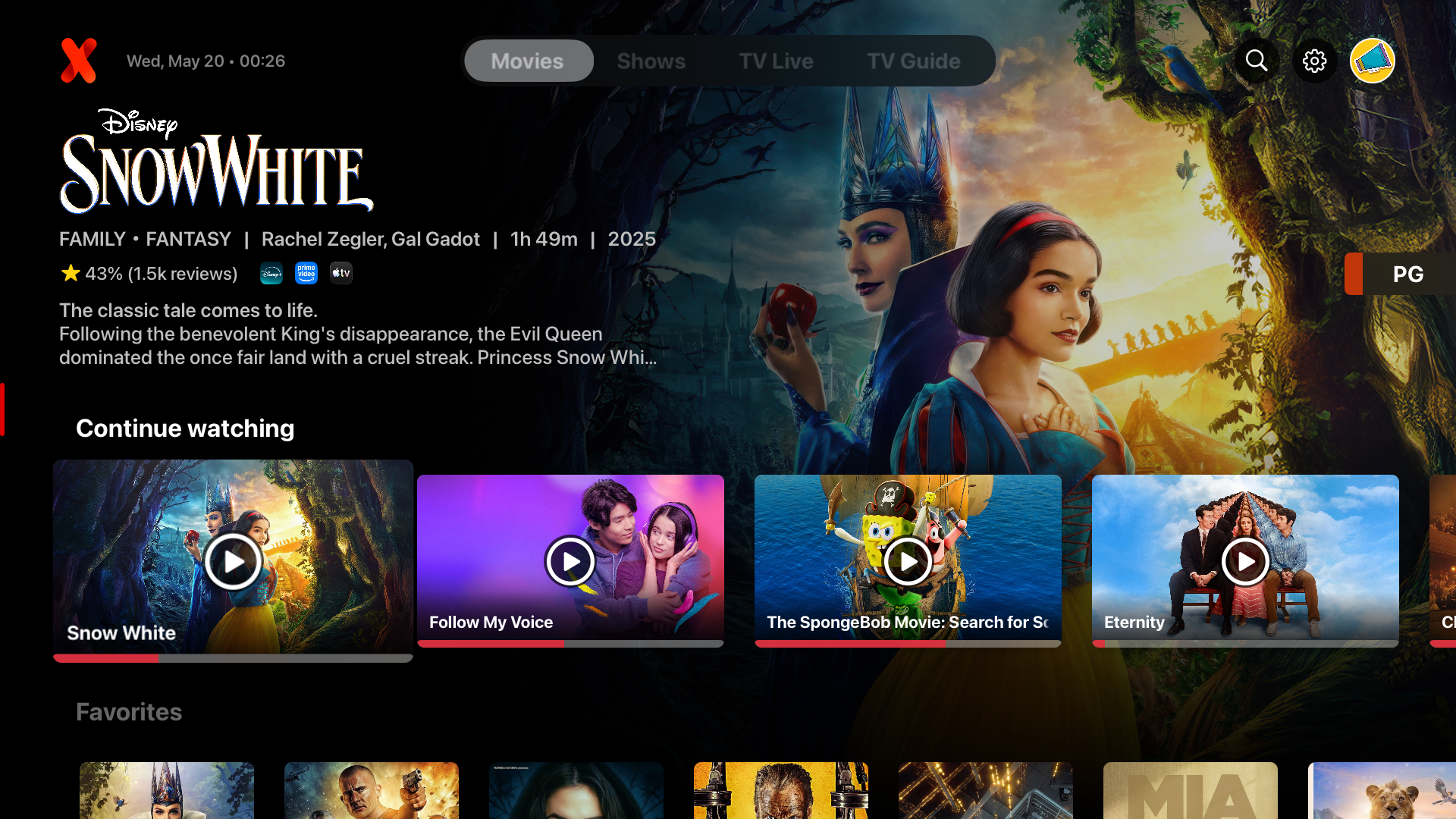
IPTVX on Apple TV Premium library presentation
IPTVX movies interface on Apple TV
Movies Interface IPTVX movie browsing experience on Apple TV
OFFICIAL IPTVX SCREENSHOT
Multiplex Verdict

Choose IPTVX if presentation and Apple integration matter most.

IPTVX is particularly strong for users who want movies, series, live TV and guide information presented in a highly visual interface. It also focuses heavily on continuity across Apple devices, making it a natural fit for households already using Apple TV, iPhone, iPad and Mac.

Best for:
Apple TV users Premium UI Movies & Series Multi-device Apple users Content discovery
Pros
  • Highly polished Apple TV interface.
  • Strong movie and series presentation.
  • Live TV guide and search features.
  • Sync features across supported Apple devices.
  • Rich library and metadata organization.
Consider
  • Some advanced features require a paid subscription.
  • Free access is more limited than the full experience.
  • Users wanting only a very basic player may prefer a simpler app.
  • App pricing and included features can change over time.
IPTVX Free vs Premium IPTVX can be explored before committing to its fuller premium experience. The premium tier unlocks more of the app's advanced playback, playlist, synchronization and library features. Check the current App Store listing for the latest pricing and feature availability.
IPTVX Setup Guide →

IPTVX is an independent media player and does not provide IPTV content. Multiplex IPTV is not affiliated with or endorsed by IPTVX.

IPTV App #2 UHF — Love Your IPTV Best Free / Feature-Rich

UHF — A Feature-Rich IPTV App for Apple TV

UHF is one of the strongest options for Apple TV users who want substantial functionality without needing to start with a paid plan. It supports several media source formats and combines live TV tools, search, guide features and broader playback controls.

View UHF on App Store →
UHF Interface Built for Apple devices
FREE CORE FEATURES
UHF IPTV player interface for Apple TV
EPG TV guide tools
Global Search Across playlists
Multi-PiP Multiple views
Catch-Up Where supported
Multiplex Verdict

Pick UHF if you want a strong free starting point with room to upgrade.

UHF gives users access to its core playback and content-management features for free, while an optional Pro plan adds conveniences such as cross-device sync, removal of ads and watermarks, expanded EPG navigation, Family Sharing and reminders.

Supported media sources
Xtream M3U8 Jellyfin Stremio
Best for:
Users who want to start free
Live TV & EPG users
Multiple playlist users
Apple TV + Apple ecosystem households
Free vs UHF Pro

The free version includes core functionality. Pro adds cross-device sync, removes ads and watermarks, expands EPG navigation, and adds features such as Family Sharing and reminders. Current pricing can change, so check the App Store before purchasing.

Pros
  • Core playback and content-management features available free.
  • Supports M3U8 and Xtream sources.
  • Also supports Jellyfin and Stremio sources.
  • Global search across playlists.
  • EPG, Catch-Up and multi-Picture-in-Picture features.
  • Native Apple TV support.
Consider
  • Cross-device synchronization is part of Pro.
  • Removing ads and watermarks requires Pro.
  • Unlimited EPG navigation is a Pro feature.
  • Apple TV requires tvOS 17.0 or later.
Want to use UHF with your IPTV service? Check the App Store listing, then use our Apple TV installation guide for Xtream or M3U setup help.
Get UHF → Setup Guide

UHF is an independent media player and does not provide, host, or distribute IPTV content. Multiplex IPTV is not affiliated with or endorsed by UHF.

IPTV App #3 Tivimax IPTV Player Premium Best for Live TV & EPG

Tivimax Premium — Best for Live TV & EPG on Apple TV

Tivimax Premium is our pick for Apple TV users who spend a lot of time with live television and want deeper control over channels, programme guides, Catch-Up, search and playlist organization.

View Tivimax Premium →
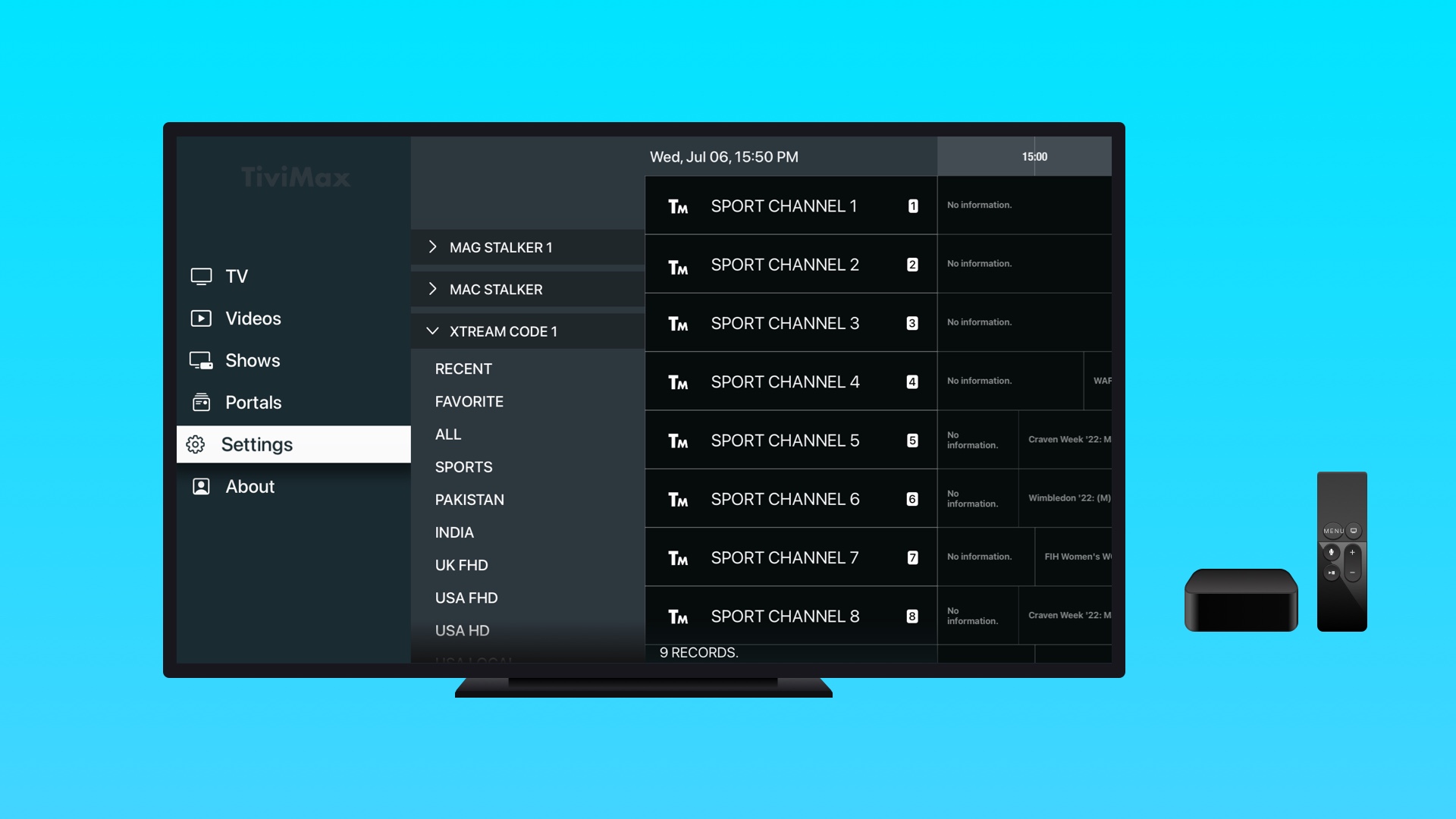
Tivimax on Apple TV Live TV and VOD interface
Tivimax Premium live TV interface on Apple TV
Live TV & EPG Tivimax live channel and EPG interface
TIVIMAX SCREENSHOT
Multiplex Verdict

Choose Tivimax if live TV navigation is your priority.

Tivimax supports several common IPTV connection methods and combines them with controls aimed heavily at live television. Its feature set includes EPG management, programme reminders, Catch-Up, channel and genre customization, integrated search, parental controls, playback options and UI customization.

Supported IPTV methods
Xtream Codes M3U Playlist Stalker Portal
EPG Management Organize and control TV guide data.
Catch-Up Access supported previous programming.
Programme Reminders Set reminders for upcoming shows.
Integrated Search Search available channels and VOD.
Parental Control Add restrictions to selected content.
UI Customization Adjust themes and interface preferences.
Best for:
Live TV users Sports viewers EPG-heavy setups Catch-Up users Advanced customization
Pros
  • Supports Xtream Codes, M3U playlists and Stalker portals.
  • Strong live TV and EPG controls.
  • Programme reminders and Catch-Up support.
  • Channel and genre customization.
  • Integrated search and parental controls.
  • Customizable UI and playback options.
Consider
  • Premium version is aimed at users who want the full feature set.
  • A simpler player may suit users who only need basic playlist playback.
  • Catch-Up availability also depends on the IPTV source.
  • App pricing and features may change over time.
TM
Not sure about Tivimax Premium? Try Tivimax Lite first. Tivimax also offers a Lite app that can be useful for checking whether your IPTV subscription and preferred setup work with the Tivimax ecosystem before choosing the Premium version.
Tivimax Lite Setup Guide

Tivimax is an independent IPTV player and does not provide IPTV content. Multiplex IPTV is not affiliated with or endorsed by Tivimax. Catch-Up and some guide features depend on the capabilities of the IPTV source.

IPTV App #4 IBO Pro Player Best for Simplicity

IBO Pro Player — A Simple IPTV Player for Apple TV

IBO Pro Player is a good fit for Apple TV users who prefer a straightforward IPTV player without the heavier library presentation and customization found in some more advanced alternatives.

View IBO Pro Player →
IBO Pro Player Clean playlist-focused experience
SIMPLE UI
IBO Pro Player IPTV interface on Apple TV
M3U Playlist Favorites Parental Control 4K Display Support
Multiplex Verdict

Choose IBO Pro if you want something simple and easy to navigate.

The app focuses on quickly loading compatible playlists and presenting channels, movies and series through a relatively simple interface. That makes it attractive to users who do not need the deeper customization of IPTVX, UHF or Tivimax.

Highlighted features
Simple UI Designed around straightforward navigation.
M3U Playlist Loading Built around adding and loading compatible playlists.
Favorites Save preferred channels, movies and series.
Parental Control Restrict access to selected content.
Multiple Languages Language selection for supported media.
Resolution Support Developer lists support for resolutions including 4K.
Best for:
Beginners Simple navigation M3U users Minimal setup TV-first viewing
App access & activation

IBO Pro Player uses its own app access and activation model. Availability, pricing and any trial or activation terms can change, so check the current Apple TV App Store listing and the app itself before purchasing.

Pros
  • Simple interface for users who do not want a complicated player.
  • Focused on quick M3U playlist loading.
  • Favorites for channels, movies and series.
  • Parental control features.
  • Developer lists support for high-resolution displays.
Consider
  • Less focused on premium library presentation than IPTVX.
  • Users wanting deep live-TV customization may prefer Tivimax.
  • Users wanting a broad free feature set may prefer UHF.
  • Confirm your required playlist/login method is supported before committing.
Prefer a straightforward Apple TV IPTV player? Check IBO Pro Player on the App Store, or open our setup guide if you need help adding your IPTV playlist.
View IBO Pro → Setup Guide

IBO Pro Player is an independent media player and does not provide IPTV subscriptions or content. Multiplex IPTV is not affiliated with or endorsed by IBO Pro Player.

IPTV App #5 Smarters Pro Best for Multiple Playlists

Smarters Pro — Flexible IPTV Player for Apple TV

Smarters Pro is a strong option for users who want support for different IPTV login formats, multiple playlists and practical playback controls without being tied to a single playlist structure.

View Smarters Pro →
Smarters Pro Flexible playlist management
PREMIUM FEATURES
Smarters Pro IPTV player interface
Xtream Codes API M3U Playlist JSON Playlist Multiple Playlists
Multiplex Verdict

Choose Smarters Pro if you manage multiple IPTV playlists or login formats.

Smarters Pro stands out for its flexible source support. Its premium feature set includes M3U playlists, JSON-based playlists and Xtream Codes API, together with multiple-playlist management and additional playback and family controls.

Premium features
Xtream Codes API Connect using compatible server credentials.
M3U Playlists Load compatible playlist URLs.
Multiple Playlists Keep more than one playlist inside the player.
Picture in Picture PiP mode is listed among its premium features.
Parental Control Add restrictions for selected viewing.
Local Media Supports local audio and video files.
Best for:
Multiple playlists Xtream users M3U users Family viewing PiP users
Pros
  • Supports Xtream Codes API and M3U playlists.
  • Also supports JSON-based playlists.
  • Multiple playlists can be managed in the app.
  • Picture in Picture mode is supported.
  • Includes parental control features.
  • Supports local audio and video files.
Consider
  • Premium features may require an in-app purchase on Apple platforms.
  • Users wanting a more cinematic library interface may prefer IPTVX.
  • Users focused heavily on EPG and live TV customization may prefer Tivimax.
  • App pricing and premium access can change over time.
PRO
Smarters Pro premium access The developer lists M3U, JSON playlists, Xtream Codes API, multiple playlists, PiP, parental controls and local media support among premium features. On Apple platforms, premium access may be purchased through the app.
View App → Setup Guide

Smarters Pro is an independent media player and does not provide IPTV subscriptions or IPTV content. Multiplex IPTV is not affiliated with or endorsed by Smarters Pro.

More Apple TV IPTV Options

Lite Alternatives Worth Considering

You do not always need to start with a premium IPTV player. These lighter alternatives can be useful when checking compatibility or when you simply prefer a more straightforward media player.

Alternative #1 Tivimax Lite
Compatibility Test

Try the Tivimax experience before choosing Premium.

Tivimax Lite is particularly useful if you are interested in Tivimax Premium but first want to check whether your IPTV service and preferred connection method are supported.

Xtream Codes M3U Playlist Stalker Portal TV Guide VOD Catch-Up
Why we included it Tivimax itself recommends downloading the Lite version to check whether your subscription is supported before choosing the Premium app.
Alternative #2 Smarters Player Lite
Lite Player

A lighter Smarters-style media player option.

Smarters Player Lite is another option for users who prefer the familiar Smarters ecosystem and need a player capable of loading compatible personal playlists from local or remote sources.

M3U Playlist JSON Playlist Local Media Remote Sources Apple TV
Lite vs Smarters Pro Choose the Lite app if its supported formats cover your needs. Smarters Pro is the stronger option in this comparison for users who specifically need features such as Xtream Codes API, multiple playlists, PiP and parental controls.
i
Lite does not automatically mean the best choice for everyone. Check the current App Store listing before installing. Features, pricing, advertisements, in-app purchases and platform availability can change between versions and regions.

Tivimax and Smarters Player Lite are independent media players and do not provide IPTV subscriptions or IPTV content. Multiplex IPTV is not affiliated with or endorsed by either app.

Final Comparison

Which Apple TV IPTV App Is Best for You?

There is no single IPTV player that is perfect for every Apple TV user. Our picks depend on whether you value design, free access, live TV controls, simplicity or flexible playlist management.

#01
Best Overall

IPTVX

Our first choice when interface quality, content presentation and the Apple ecosystem matter most.

Choose IPTVX if: You want the most polished streaming-style experience in this comparison.
Read IPTVX Review →
#02
Best Free Starting Point

UHF

A feature-rich choice with useful core functionality available without starting with a premium plan.

Choose UHF if: You want to start free while keeping access to a broad set of IPTV player features.
Read UHF Review →
#03
Best for Live TV

Tivimax Premium

Our preferred option for users who prioritize live channels, EPG controls and TV-focused navigation.

Choose Tivimax if: Live TV, programme guides, Catch-Up and channel organization are your priority.
Read Tivimax Review →
#04
Best for Simplicity

IBO Pro Player

A straightforward option for users who would rather avoid a more complex or feature-heavy interface.

Choose IBO Pro if: You mainly want a simple player for compatible playlists and TV navigation.
Read IBO Pro Review →
#05
Best for Multiple Playlists

Smarters Pro

A flexible option for users handling multiple playlists or more than one supported IPTV login format.

Choose Smarters Pro if: Xtream, M3U, multiple playlists and practical controls like PiP matter to you.
Read Smarters Pro Review →
Our 2026 Verdict

IPTVX is our best overall IPTV app for Apple TV.

For most users who want a premium Apple TV experience, IPTVX is our overall recommendation. UHF is the stronger starting point if free access matters more, while Tivimax Premium makes more sense for live-TV-heavy viewing. IBO Pro keeps things simple, and Smarters Pro is useful when flexible playlist management is the priority.

Want the most polished interface? IPTVX
Want a strong free starting point? UHF
Mostly watch live TV? Tivimax
Want something simple? IBO Pro
Manage multiple playlists? Smarters Pro
Chosen your Apple TV IPTV player? Follow our step-by-step Apple TV setup guide, or test your IPTV service before choosing a longer subscription.
Installation Guide Start Free Trial →

These rankings are Multiplex IPTV editorial recommendations based on the features and use cases compared on this page. Third-party app features, pricing and availability can change.

Frequently Asked Questions

Apple TV IPTV App FAQs

Quick answers about choosing an IPTV player for Apple TV, free and premium options, playlist formats and app compatibility.

Our overall pick is IPTVX because of its polished Apple-focused interface, strong movie and series presentation and integration across supported Apple devices. However, the best choice depends on what you need: UHF is a strong free starting point, Tivimax Premium is especially suited to live TV users, IBO Pro focuses on simplicity, and Smarters Pro is useful for multiple playlists.
UHF is our preferred free starting point in this comparison because its core version provides useful IPTV playback and content-management features without requiring you to begin with the Pro plan. Tivimax Lite is also useful when you specifically want to test the Tivimax ecosystem.
We recommend Tivimax Premium for users who mainly watch live television. Its feature set is strongly focused on TV-style navigation, EPG management, programme reminders, Catch-Up where supported, search and channel organization.
Several apps in this comparison support Xtream-style login methods, including IPTVX, UHF, Tivimax and Smarters Pro. The exact terminology and login screen can differ between apps, so always check the current app version before purchasing.
Yes. Many IPTV players available for Apple TV can load compatible M3U or M3U8 playlists. The apps compared on this page include several options with M3U support. If you need help adding your playlist, see our Apple TV IPTV installation guide .
They are strong for different reasons. IPTVX is our preferred option for users who care most about premium presentation, movies, series and the broader Apple experience. Tivimax Premium makes more sense if live TV, EPG controls and TV-style navigation are your priority.
No. The apps discussed on this page are independent media players. They do not automatically provide an IPTV subscription or channel package. You normally need compatible login details or a playlist from your IPTV service.
Yes. Multiplex IPTV offers a 24-hour IPTV free trial that can be used to test service compatibility, playback and your chosen Apple TV IPTV player before selecting a longer subscription. Visit our IPTV free trial page .
First install a compatible IPTV player from the App Store, then add the login method supported by your IPTV service, such as Xtream credentials or an M3U playlist. For the complete process, follow our step-by-step Apple TV IPTV setup guide .
Still not sure which player to choose? Start with a free trial and test your preferred Apple TV IPTV app before choosing a subscription.
Start 24H Free Trial →
Ready to Test Your Setup?

Found Your Apple TV IPTV App? Test It With Multiplex.

Choose your preferred Apple TV IPTV player, then test your setup with a 24-hour Multiplex IPTV free trial before deciding on a longer subscription.

24H Free Trial Test playback and compatibility before subscribing.
Flexible Plans Choose from 1–12 month IPTV subscription options.
Apple TV Support Setup guidance for compatible IPTV players.

Third-party IPTV players are independent applications. Multiplex IPTV is not affiliated with or endorsed by Apple or the third-party app developers featured on this page.